Virtual Router
Virtual Router for Network
A Virtual Router is a software-based router that facilitates network traffic management between different subnets and virtual networks within a cloud environment. In StackConsole, a Virtual Router enables efficient routing, integration with various network components, and enhanced connectivity between cloud resources. This guide provides step-by-step instructions to create and manage a Virtual Router.
Creating a Virtual Router
- From the left-hand menu, click on the Networks tab.
- You will be redirected to the Networks page. Go to the Virtual Routers tab.
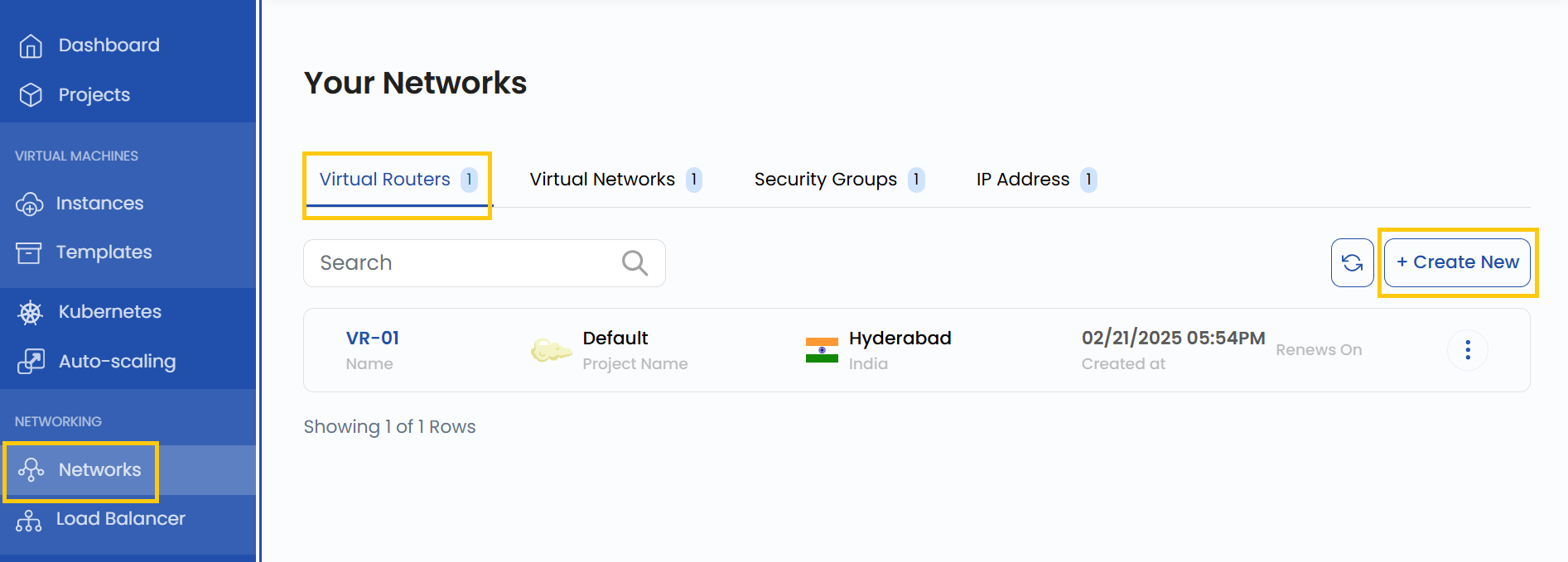
- To create a Virtual Router, click the Create New button located on the right side of the networks page.
- Provide a name for the Virtual Router, select the project, and choose the appropriate zone where the data center will be located.
- Select the Virtual Router plan that best suits your requirements.
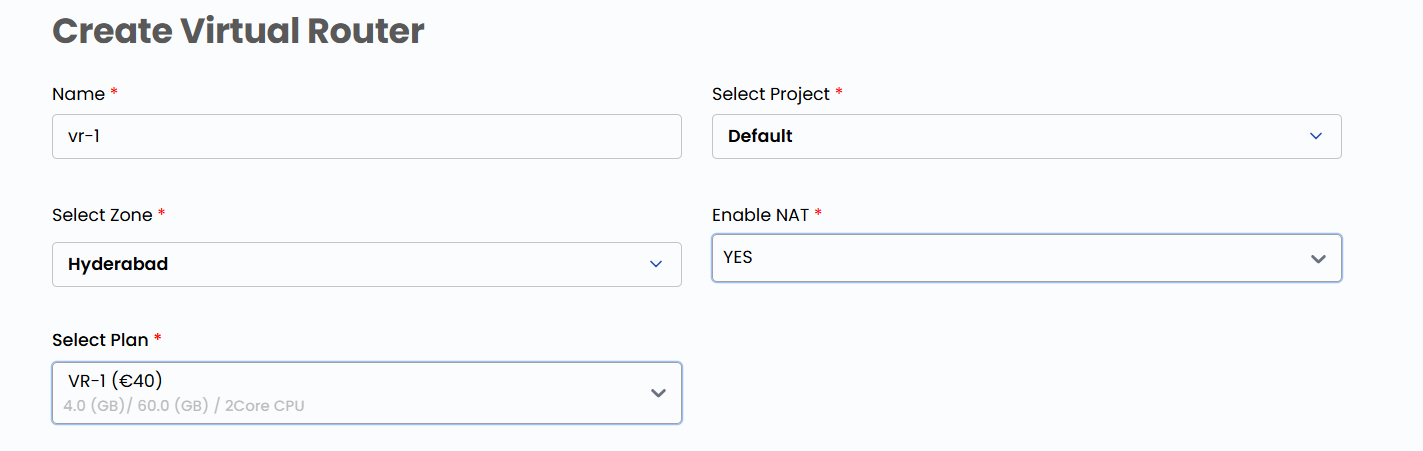
- Choose the network from the list to create the Virtual Router.

- Choose the desired Billing Cycle for your router. Virtual Router supports Hourly, Monthly, Quarterly, Semiannually, Yearly, Bi-annually, and Tri-annually billing cycles.
- It also supports Date to Date, Fixed Calendar Month, Unfixed Calendar Month, Fixed Prorata, and Unfixed Prorata billing rules.
- It offers multiple router packages with varying networking capabilities. This enables flexible network topologies to meet performance, security, and connectivity requirements.
- Verify all the configuration details and review the price summary. Click on Create Virtual Router to create the router.

Managing Virtual Router
- Once the Virtual Router is created, click on its instance to view details. You will be redirected to its management page, where you can:

- View Virtual Router details and manage interfaces.
- Filter, attach, or integrate network components with the Virtual Router.
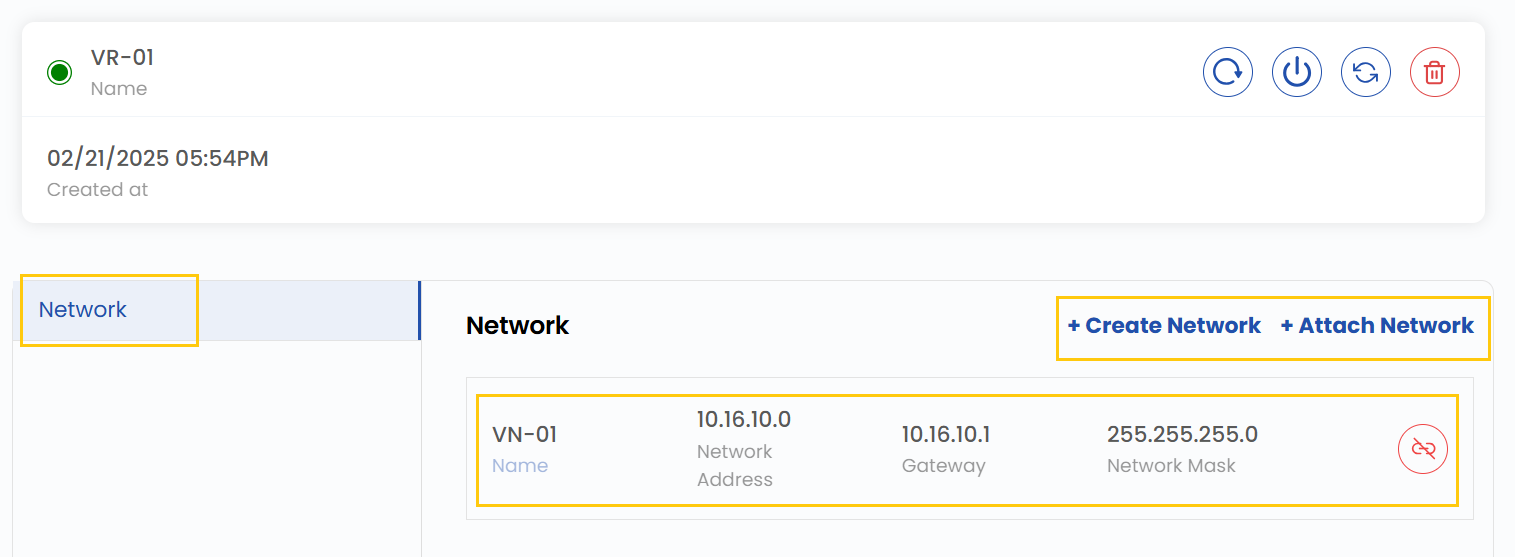
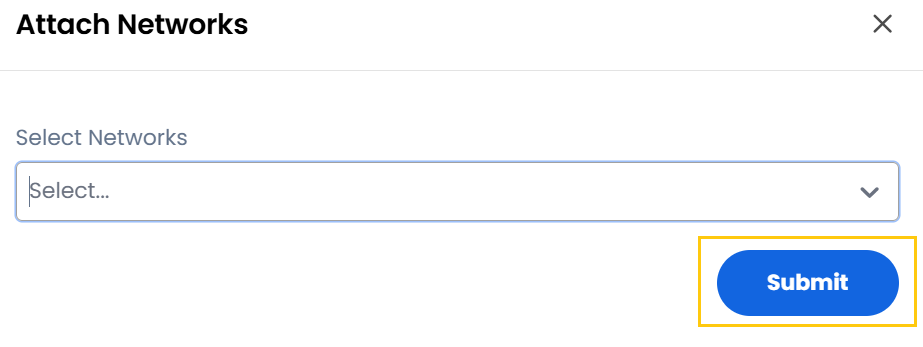
- To attach a network, click on Attach Network and select the network. Click on Submit.
Conclusion
By following this guide, you can easily create and manage Virtual Routers in StackConsole. Virtual Routers provide a flexible and efficient way to manage network traffic, ensuring seamless connectivity between subnets and virtual networks. For further assistance, refer to the StackConsole documentation or reach out to support.
tip
See also: